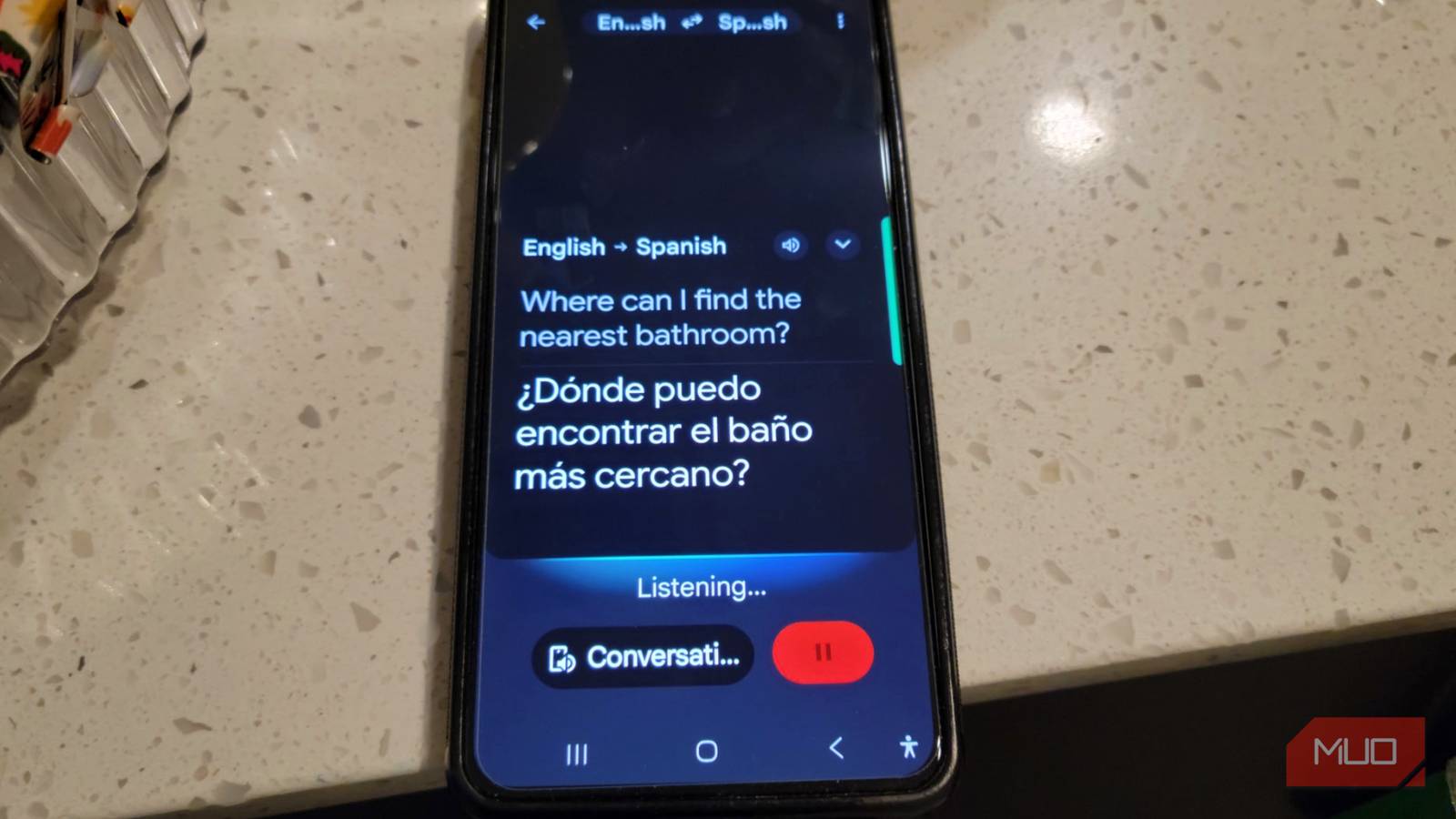
DeepL and Google Translate both try to do the same thing, but end up doing it very differently. After putting both through real situations and even real conversations, I can see where each excels and what I would rather use. Coming from someone who does speak multiple languages and has that language barrier with some family members, there are some things to consider when picking between the two. DeepL is a great alternative to Google Translate, but it’s not perfect.
6 Google Translate tricks tourists never find until the trip is over
Google Translate does basic language-to-language translations via text and voice, but it does so much more you should explore before your next trip.
Both apps are great but they work differently
Setting up your translation apps for travel


A translation app is pretty much useless if you end up stuck in a foreign country with no way to connect to a network. So it’s really about getting both translation apps set up on your phone before you head out. Counting on a live cellular connection the whole time is a risky bet, especially once you get outside the major cities, where network coverage can be hit or miss.
That’s why it’s worth taking a few minutes at home, on solid Wi-Fi, to set up Google Translate or DeepL ahead of time. It’ll save you a ton of stress and headaches later on. Both apps are pretty solid at default, but it would be unfair to use or test them when they’re not set up correctly.
Before testing or using it, you have to go into the settings on both DeepL and Google Translate and download the full offline language packs for wherever you’re headed. Google Translate is especially well known for its offline abilities, so I turned off my data to see for myself.
You can translate text without an internet connection. When you’re offline, the translation models are a bit more basic, but they still give you enough to get by and understand what’s going on around you.
I tried using the camera and microphone for both, because those would help a lot. Google Translate’s camera was really helpful. I pulled up some images from the internet and just pointed my phone at street signs, menus, or transit schedules, and it quickly translated them.
DeepL has the same feature with real-time camera and photo translation, but you take a picture and scan, which is slower. It also needs to be online, which is a tip you should keep in mind.
Both DeepL and Google Translate have pretty great dictation and voice translation features that let you translate spoken words on the spot. Unfortunately, this is where DeepL is less than reliable. You need to be online for it to work, so if you’re going out to the countryside, you’re likely going to be out of luck.
Choosing between nuance and broad language support
Forgetting about internet connection for a second, which app you use depends on the situation you’re in and how tricky the language is. If you’re somewhere that calls for a bit of cultural sensitivity, like figuring out local etiquette, ordering food at a family-run restaurant, or chatting with distant family or relatives, go with DeepL.
It’s just better at picking up on cultural nuance and making things sound natural. DeepL was trained on a bunch of carefully chosen, high-quality translated texts, which is clear when you use it. I was surprised at how well it could translate my conversations, even when speaking to people in my family who don’t know English at all.
It’s so good at catching idioms, keeping the original tone, and making me feel like it’s a real conversation.
I was mentally preparing to go word-by-word, but DeepL looks at whole sentences at once, so what comes out feels a lot less robotic and a lot more like something an actual native speaker would say.
Google Translate, though, is your better bet when you’re dealing with regional dialects, local slang, or scripts that aren’t based on the Latin alphabet, like Hebrew. It’s got a massive database behind it that made me feel like I’d use it in a pinch.
So if you wander off the typical tourist route and run into obscure regional quirks or super local vocabulary, Google’s been trained on enough messy real-world data that it can usually still give you something useful.
I really don’t think either app is perfect on its own. If I were to travel, I’d use both. For communicating with my family, DeepL would be my go-to. As much as I want to believe Google’s idea of natural translation, it never worked that well for me.
These apps will always have problems with culture and context
It’s hard to overly rely on one

These apps are basically just matching patterns, and they don’t really get the cultural baggage that comes attached to everyday words and phrases. As much as I can praise them for how well they handle slang and little bits here and there, they fall apart if pushed too far in regular conversation.
One of the easiest ways to trip them both up is with metaphors. Idioms are the kryptonite for both of these. It comes out really literal or just word-for-word, which makes things more difficult. Saying something like Bite the bullet, came out the same and is not used outside the US casually.
It’s not just about metaphors, either, because there are languages like Hebrew or French that work with social hierarchies. Plenty of languages have strict rules about formal versus casual speech, like choosing between “vous” and “tu” in French, or “Sie” and “du” in German.
Translation tools tend to work off a short phrase without much context, and tend to accidentally pick the wrong one, or even flip-flop between formal and casual in the same conversation. If you’re just trusting the app blindly, you could end up talking to someone’s grandmother way too casually.
For example, I was raised to say usted instead of tu out of respect to an elder, and the app really doesn’t pick up on that. It’s hard to fault it for making you sound disrespectful or just clueless, but that’s not exactly the impression you want to make before the conversation has even really started.
There’s also just the simple fact that staring at your phone changes the whole vibe of a conversation. So much of real communication happens through eye contact, facial expressions, and body language, and all of that gets lost when everyone’s looking down at their phones instead of each other.
The lag isn’t horrible, but it’s long enough to feel awkward sometimes.
Use both if you can
Neither app replaces actually knowing the language. DeepL reads context and tone in a way that made my conversations with non-English-speaking family members easier, though. Google Translate doesn’t always sound as natural, but its offline support is probably the biggest factor if you are traveling. If you’re heading somewhere with shaky network coverage, set both up before you leave. You’ll want DeepL for personal conversations and Google Translate for everywhere your signal won’t reach.